 HA Pulse
Getting started
HAGHS adds one sensor to Home Assistant: a 0–100 health score with the reasons for every missing point. This guide gets you from install to dashboard. Every detail lives in the documentation on GitHub.
Requirements
- Home Assistant 2024.10 or newer.
- On Linux hosts that provide PSI (Pressure Stall Information), nothing else is needed. Otherwise add the built-in System Monitor integration and enable its processor and memory usage entities, which are disabled by default.
- Database size and disk usage are detected automatically. External databases (MariaDB, PostgreSQL) need a size sensor, see configuration.
Installation
Home Assistant 2026.11 and later
- Open Settings › Marketplace and search for HAGHS.
- Select Install. The setup opens right away, no restart needed.
Home Assistant up to 2026.10 (HACS)
- Open HACS, search for HAGHS and download it.
- Restart Home Assistant.
- Go to Settings › Devices & Services › Add Integration and search for HAGHS.
Installations made with HACS move to the Marketplace automatically when you update Home Assistant to 2026.11 and keep receiving updates.
Setup and options
The setup asks for a few things, all of which you can change later under Settings › Devices & Services › HAGHS › Configure, without a restart:
- Storage type: SD card, eMMC or SSD. It sets the disk space thresholds.
- CPU and RAM sensors: only used when PSI is not available.
- Ignore labels and ignore patterns: see below.
- Database size sensor: only for external databases.
The options also hold the update interval, the zombie grace periods, opt-in stale reporting and the integration entries to exclude from Integration Health. All of them are in docs/configuration.md.
Excluding entities
A sleeping tablet or a seasonal device should not cost points. Three ways keep an entity out of the score:
- Disable the entity. Disabled entities never count.
- Apply an ignore label to an area, device, entity or update entity. The
haghs_ignorelabel is created during setup. A label on a device covers all its entities. - Use a glob pattern such as
sensor.docker_*for entities without a unique ID, which cannot carry a label.
For a vacation mode, conditional ignore labels apply only while a helper you choose is on. A zombie is an availability signal, not a deletion list: check an entity's integration and device before you delete it.
Dashboard cards
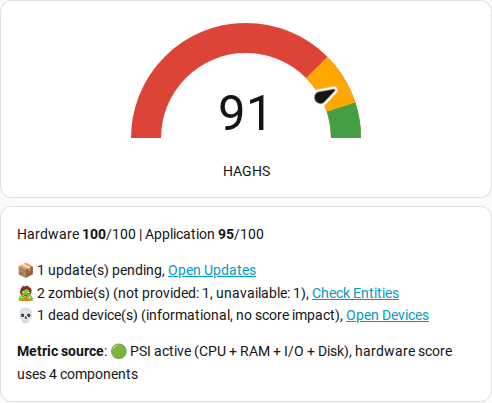
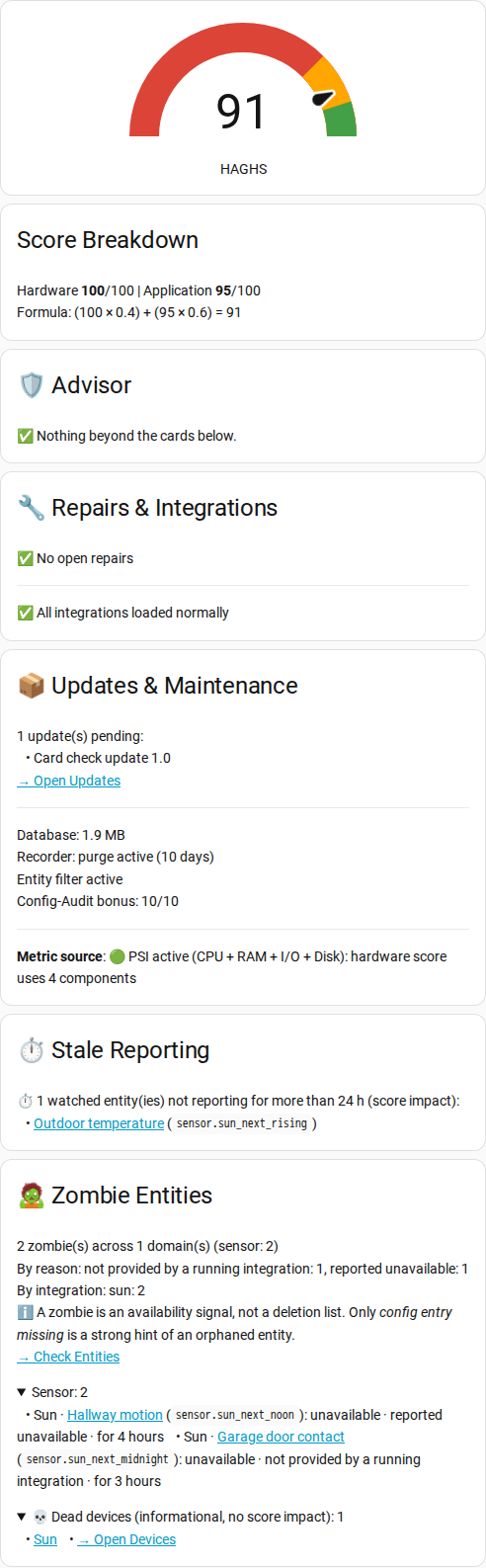
Two ready-made cards show the score, the breakdown and links to every fix. Open the YAML file, copy its content into a manual card (Edit dashboard › Add card › Manual). Both use sensor.system_ha_global_health_score; if your sensor has another ID, replace it in the card.
Automations
The score is a normal sensor. This automation sends the advisor text when the score drops below 80:
- alias: "HAGHS: health score dropped"
  triggers:
    - trigger: numeric_state
      entity_id: sensor.system_ha_global_health_score
      below: 80
  actions:
    - action: notify.notify
      data:
        message: "{{ state_attr('sensor.system_ha_global_health_score', 'recommendations') }}"
The most used attributes:
| Attribute | Meaning |
|---|---|
| hardware_score | Hardware pillar, 0–100 |
| application_score | Application pillar, 0–100 |
| recommendations | Advisor lines for everything that costs points |
| zombie_count | Entities unavailable or unknown past the grace period |
| zombie_reasons | Why each listed zombie is reported |
| pending_updates | Pending updates, counted after 7 days |
| repair_count | Open repairs counted in the score |
| db_size_mb | Database size in MB |
| psi_available | Whether PSI provides CPU and memory data |